Olivia Hallisen
Jun 09,2026
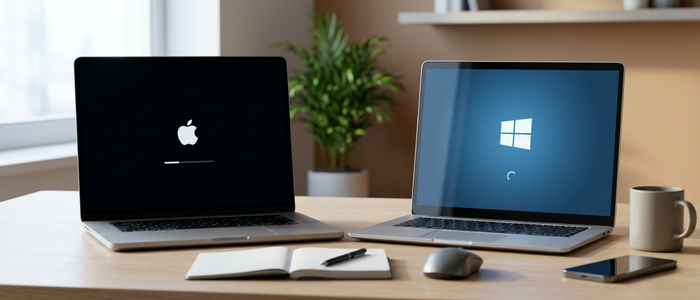
Choosing a new laptop has become more challenging than ever. With powerful hardware, advanced software, and a wide variety of models available, buyers often find themselves comparing two major options: the Apple MacBook Air and Windows laptops. Both platforms have evolved significantly over the years, offering excellent performance, portability, and productivity features. However, the right choice depends largely on your personal needs, budget, and daily workflow.
If you're shopping for a laptop in 2026, understanding the strengths and limitations of each platform can help you make a smarter purchasing decision. This comprehensive Laptop Comparison explores the key differences between MacBook Air and Windows laptops, helping students, professionals, creators, and casual users find the perfect device.
Understanding the MacBook Air Experience
Apple's MacBook Air has built a strong reputation for combining sleek design, exceptional battery life, and seamless integration within the Apple ecosystem. In recent years, Apple Silicon chips have dramatically improved performance while maintaining remarkable energy efficiency.One of the biggest advantages of the MacBook Air is its optimization. Since Apple controls both hardware and software, macOS is specifically designed to work efficiently with MacBook hardware. This results in smooth multitasking, fast startup times, quiet operation, and impressive battery longevity.
Users who already own an iPhone, iPad, Apple Watch, or other Apple products often appreciate the seamless connectivity between devices. Features such as AirDrop, Handoff, Universal Clipboard, and iCloud synchronization make daily tasks more convenient and productive.
Why Windows Laptops Remain Popular
While MacBook Air continues to attract loyal users, Windows Laptops dominate the global laptop market due to their flexibility and variety. Manufacturers such as Dell, HP, Lenovo, ASUS, Acer, and Microsoft offer devices across virtually every price range.One of the biggest advantages of Windows laptops is choice. Buyers can select from budget-friendly models, gaming laptops, business-focused systems, ultrabooks, and high-performance creator machines. This wide selection makes it easier to find a laptop that matches specific requirements and budgets.
Windows also supports a broader range of software applications, hardware configurations, and customization options. Users who need specialized business software, engineering programs, gaming platforms, or enterprise tools often prefer Windows because of its compatibility.
Performance Comparison in 2026
Performance is one of the most important factors when purchasing a laptop. Both MacBook Air and premium Windows laptops offer impressive speed, but their strengths differ depending on the workload.The latest MacBook Air models excel in everyday productivity tasks, web browsing, video conferencing, content creation, and professional workflows. Apple's efficient processors provide excellent performance while consuming less power, contributing to outstanding battery life.
Windows laptops offer greater performance variety. Some models are designed for everyday use, while others feature dedicated graphics cards and powerful processors capable of handling gaming, video editing, software development, and demanding professional applications.
For general productivity, both platforms perform exceptionally well. Users with specialized requirements should evaluate software compatibility before making a decision.
Battery Life: Which Laptop Lasts Longer?
Battery life remains one of the strongest selling points of the MacBook Air. Thanks to Apple's hardware and software integration, users often experience all-day battery performance without carrying a charger.Many premium Windows laptops have significantly improved battery efficiency in recent years. However, battery performance can vary widely depending on the manufacturer, processor, display technology, and usage patterns. For students attending classes, remote workers, and frequent travelers, battery life can be a major deciding factor. In this category, MacBook Air often maintains a noticeable advantage.
Which is the Best Laptop for Students?
Students represent one of the largest groups of laptop buyers, making this an important area of comparison. The Best Laptop for Students should offer portability, reliability, strong battery life, and enough performance to handle academic workloads.MacBook Air appeals to students who value long battery life, lightweight design, and a premium user experience. It is particularly popular among students studying design, media production, business and creative fields.
Windows laptops provide more flexibility for students on a budget. Since manufacturers offer a wide range of price points, students can find capable laptops without spending premium-level prices. Engineering, architecture, and technical students may also benefit from software compatibility advantages offered by Windows.
Software and Application Compatibility
Software requirements often play a major role in laptop purchasing decisions. MacBook Air supports a large collection of productivity, creative, and business applications. Popular programs for writing, design, video editing, and professional work are readily available on macOS.Windows, however, remains the preferred platform for many industries due to its extensive software support. Specialized engineering tools, enterprise applications, business software, and gaming platforms are often optimized for Windows environments.
Before purchasing a laptop, it's important to verify that your essential applications are compatible with your preferred operating system.
Price and Value Comparison
Pricing can significantly influence purchasing decisions. MacBook Air generally occupies the premium segment of the market. While it may have a higher initial cost, many users view it as a long-term investment due to its build quality, performance, and resale value.Windows laptops offer options for virtually every budget. Entry-level devices provide affordable computing solutions, while premium models compete directly with Apple's offerings. This flexibility allows buyers to prioritize features without exceeding their budget.
For users seeking maximum value at lower price points, many MacBook Alternatives in the Windows ecosystem deliver impressive performance and features.
Who Should Buy a MacBook Air?
A MacBook Air may be the right choice if you:- Already use Apple products
- Prioritize battery life and portability
- Need a laptop for productivity and creative work
- Prefer a premium user experience
- Want seamless ecosystem integration
Who Should Buy a Windows Laptop?
A Windows laptop may be a better choice if you:- Need software compatibility with specific applications
- Want more hardware options and customization
- Have a limited budget
- Need a gaming-capable system
- Prefer broader upgrade and configuration choices
Conclusion
The debate between MacBook Air vs Windows Laptop ultimately comes down to your personal requirements. Both platforms offer exceptional devices capable of handling modern workloads. MacBook Air stands out for its battery life, efficiency, and ecosystem integration, while Windows laptops provide unmatched flexibility, software compatibility, and pricing options. By carefully evaluating your budget, software needs, performance expectations, and long-term goals, you can confidently choose the laptop that best fits your lifestyle in 2026.Frequently Asked Questions
1. Is MacBook Air better than a Windows laptop in 2026?
It depends on your needs. MacBook Air excels in battery life, portability, and ecosystem integration, while Windows laptops offer more variety, customization, and software compatibility.2. Which is the best laptop for students in 2026?
Both MacBook Air and Windows laptops are excellent choices. The best option depends on your budget, academic requirements, and preferred operating system.3. Are there good MacBook alternatives available?
Yes. Premium Windows laptops from Dell, HP, Lenovo, ASUS, and Microsoft offer strong alternatives with competitive performance and features.4. Can Windows laptops outperform MacBook Air?
High-performance Windows laptops with advanced processors and dedicated graphics cards can outperform MacBook Air in gaming, engineering, and intensive workloads.5. Which laptop offers better value for money?
Windows laptops generally offer more pricing flexibility, while MacBook Air often provides strong long-term value through durability, efficiency, and resale potential.Recent Blogs