What Is Sintra AI and How Does It Work? A Complete Breakdown for 2026
Deepansha
Apr 14,2026
Overview
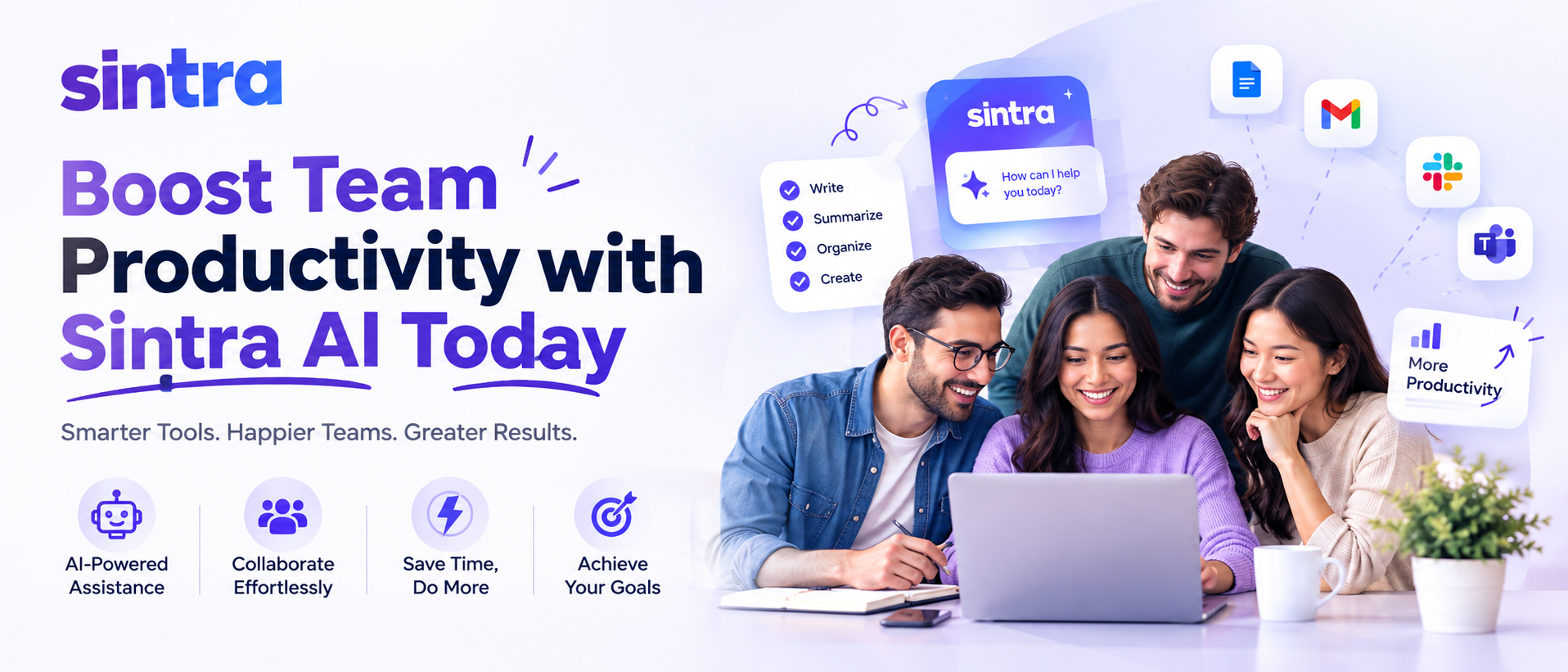
So — what is Sintra AI, exactly? That's the question a lot of people are asking in 2026, and honestly, it's a fair one. The AI tools space has exploded over the last couple of years. New platforms pop up weekly. Most of them promise the world. But Sintra AI? It's doing something a little different. It's not just another chatbot or a fancy autocomplete engine. It's a fully realized AI employee platform — built to help small businesses, solopreneurs, and growing teams actually get work done.Think about it. You're a small business owner. You've got a dozen things screaming for your attention before 9 AM. Marketing, customer support, sales outreach, content creation — and somehow, you're supposed to handle all of it. With Sintra AI, the idea is that you don't have to. You assign those tasks to AI-powered "bots" that specialize in different roles. And they just... do it.
This guide breaks down everything you need to know about Sintra AI — what it is, how it works, what the individual AI personas do, how it stacks up against competitors, and whether it's actually worth your time in 2026.
What Is Sintra AI? Understanding the Platform
Sintra AI is an AI-powered business automation platform that was launched to help small and medium-sized businesses delegate repetitive, time-consuming tasks to specialized AI assistants. Unlike general-purpose AI tools, Sintra takes a persona-based approach — meaning each "bot" on the platform has a defined role, a specific skill set, and a personality to match.The platform is built around the idea that most businesses don't need one generic AI. They need a team of AI specialists. A marketer. A copywriter. A sales rep. A customer support agent. Sintra packages all of that into one subscription.
At its core, Sintra AI offers:
- A roster of AI personas, each specialized for a specific business function
- A central dashboard where you can manage tasks, workflows, and outputs
- Integration with popular business tools and platforms
- Memory features that allow bots to learn your preferences over time
- An interface designed for non-technical users — no coding required
The platform positions itself not as a software tool but as a team extension. That framing matters. It changes how users interact with the product — you're not prompting an AI, you're delegating to a colleague.
How Does Sintra AI Work? The Core Mechanics
Here's where it gets interesting. Sintra AI doesn't just dump you into a blank chat window and say "go." The platform is structured to feel like onboarding a new employee — which, weirdly, makes a lot of sense.The Persona System
Sintra AI operates through a roster of named AI personas. Each persona — like Cassie (for customer support), Dexter (for data analysis), or Phoebe (for public relations) — is trained and prompted to handle a specific domain. When you launch a task, you select the appropriate persona, give them context, and let them run.
This is different from using something like ChatGPT, where you're essentially starting fresh every time. Sintra's personas carry context and are tuned to their specific functions. Dexter isn't going to write your blog post. That's Seona's job (the SEO specialist). And Seona isn't going to crunch your sales numbers. Division of labor — applied to AI.
The Memory Feature
One of the more genuinely useful features of Sintra AI is its memory system. Over time, the bots learn your brand voice, your preferences, your target audience, your past instructions. So instead of re-explaining yourself every single session, the AI builds on what it already knows about your business.
Does it work perfectly? Not always. But it's a meaningful step above starting from scratch every time.
Task Delegation and Workflow Automation
Sintra also allows users to set up automated workflows — sequences of tasks that trigger based on conditions you define. Need a weekly content calendar drafted every Monday morning? Set it up once, and Sintra handles it. It's not quite the level of a full no-code automation tool like Zapier, but for AI-driven tasks, it's solid.
Meet the Sintra AI Bots: Who Does What?
This is where Sintra really stands out. There are more than 35 specialized AI personas on the platform, and each one has a name, a specific function, and a specific use case. Here are some of the most popular ones:- Axel is in charge of advertising, which includes writing ad copy and coming up with campaign strategies.
- Cassie: Customer service, answering questions, and handling support tickets
- Dexter does business intelligence and data analysis work.
- Emmett—Email marketing campaigns and sequences
- Phoebe—writing press releases and doing public relations
- Seona: keyword research, SEO strategy, and content optimization
- Sid: Making and scheduling content for social media
- Buddy is a general AI helper for a variety of tasks.
Each persona has a slightly different interface and toolset. And honestly? The naming and personality approach makes the platform more approachable. It sounds silly, but assigning a task to "Sid" feels less clinical than typing prompts into a generic AI window.
Key Features That Make Sintra AI Stand Out in 2026
Let's talk about what actually makes Sintra AI worth considering — beyond the persona gimmick.1. Built for Non-Technical Users
You don't need to know anything about prompt engineering to use Sintra effectively. The platform is designed with business owners in mind — people who know their industry but don't necessarily know how to talk to an AI. The guided interfaces, persona-specific prompts, and structured task templates do a lot of the heavy lifting.
2. Cross-Platform Integrations
Sintra AI integrates with a range of popular tools — including Shopify, WordPress, Slack, and others — which means it fits into existing workflows without requiring a total tech overhaul. That matters a lot for small businesses that don't have IT departments.
3. The Sintra Helpers Feature
Helpers are mini-automations within Sintra — pre-built task templates that let you complete specific jobs in a few clicks. Need a product description written? There's a Helper for that. Need a cold email drafted? Same. The Helpers system dramatically reduces the time it takes to get useful output from the platform.
4. Multi-Bot Collaboration
More advanced workflows can involve multiple Sintra bots working in sequence. For example: Seona identifies keyword opportunities, then Sid builds a social strategy around those keywords, then Emmett drafts an email sequence to support the campaign. Connecting those tasks feels more like running a real team than most AI tools do.
Sintra AI Pricing: What Does It Cost in 2026?
Pricing structures for AI tools shift frequently, so always verify on Sintra's official site — but as of 2026, Sintra AI typically offers tiered subscription plans that scale with the number of bots you access and the volume of tasks you run.Most plans include:
- Access to the core roster of AI personas
- A set number of monthly task credits or unlimited usage at higher tiers
- Memory and personalization features
- Integration access
- Priority support on premium plans
There's usually a free trial or starter option available for new users — which is worth testing before committing. The platform is generally priced to compete with hiring a part-time assistant or freelancer, which is the comparison Sintra explicitly makes in its own marketing.
Sintra AI vs. Other AI Tools: How Does It Compare?
Fair question — and one worth answering carefully. Because there are a lot of AI tools out there right now. So how does Sintra AI compare to the big names?Sintra AI vs. ChatGPT
ChatGPT is a general-purpose AI assistant. Powerful, flexible, and extremely capable — but it requires you to know how to prompt it well. Sintra is more structured and business-focused. For a solopreneur who needs a ready-to-go marketing team, Sintra wins on ease of use. For someone who wants raw AI flexibility, ChatGPT or similar tools are more adaptable.
Sintra AI vs. Jasper
Jasper is primarily a content writing tool. Sintra goes much broader — covering not just content but sales, customer support, data, and more. If writing is your only need, Jasper might be more polished in that specific lane. But for multi-function business use, Sintra has more range.
Sintra AI vs. Notion AI / ClickUp AI
These are productivity tools with AI baked in. Good for project management and note-taking, but not designed to replace business functions the way Sintra is. They serve different needs — and honestly, they can coexist with Sintra in the same workflow.
Who Should Actually Use Sintra AI?
Not every tool is for everyone. Sintra AI is genuinely useful for certain types of users — and less relevant for others.Sintra AI is a strong fit for:
- Solopreneurs and freelancers who need to scale their output without hiring
- Small business owners who handle their own marketing, sales, and customer support
- E-commerce businesses running on Shopify or similar platforms
- Content creators who want to systematize their production workflow
- Startups operating lean teams with broad responsibilities
It's probably not the right tool for:
- Enterprise teams with dedicated departments and existing software stacks
- Users who need highly customized AI behavior and prefer prompt control
- Businesses in highly regulated industries where AI-generated content needs heavy oversight
Limitations of Sintra AI: What to Watch Out For
No platform is perfect. And Sintra AI — for all its strengths — has some real limitations worth knowing before you subscribe.Output quality varies. Like any AI tool, the quality of what Sintra produces depends heavily on the context and instructions you provide. Vague inputs produce vague outputs. The more specific you are, the better.
The memory feature, while useful, isn't infallible. It sometimes misremembers past preferences or fails to carry context across sessions the way you'd expect.
Advanced automation features have a learning curve. The Helpers system and multi-bot workflows are genuinely powerful — but they take time to set up properly. New users might feel overwhelmed at first.
And like any SaaS platform, pricing and features can change. Always check the current Sintra website for the most accurate information.
Real-World Use Cases: What Can You Actually Do with Sintra AI?
Let's make this concrete. Here are some actual use cases where Sintra AI delivers meaningful value:- Weekly blog content: Use Seona to identify SEO topics, then Buddy to draft the article — saving hours of manual research and writing
- Customer support automation: Set up Cassie to handle common customer queries on your website or e-commerce store
- Social media presence: Let Sid develop a monthly social content calendar based on your brand voice and campaign goals
- Email marketing: Have Emmett write and sequence a full email campaign, from subject lines to CTAs
- Sales outreach: Use Axel to draft personalized outreach messages and ad copy for new product launches
These aren't hypothetical. Small business owners are using Sintra AI in exactly these ways — and the time savings, even if the output needs some editing, are substantial.
Final Thoughts
So — what is Sintra AI ,when you cut through the noise? It's a specialized AI workforce platform designed to help small businesses and solo operators punch above their weight. It's not magic. The outputs still need human review. The setup takes some investment. And it's not the right tool for every situation.But for the right user — a solopreneur juggling a dozen roles, or a small team stretched thin — Sintra AI in 2026 offers something genuinely useful: a structured, persona-based approach to AI automation that feels less like using software and more like delegating to a team.
If you're curious, the free trial is worth exploring. Get your hands on a few of the personas, run a few real tasks, and see whether the outputs fit your workflow. That's the only way to know for sure whether Sintra AI is the right fit for your business.
The AI tools landscape keeps evolving — fast. But Sintra's niche, the "AI employee team" model, is one that's proving its value. And as the platform continues to develop, it's likely to get more capable, more integrated, and more central to how small businesses operate.
Read Our More Blogs
Adobe Photoshop AI Tools 2026: An In-Depth Overview Of Generative Fill, Smart Editing, And Automation Features
Why The Newegg PC Builder Is The Most User-Friendly Tool For Creating Your Dream Machine
Sintra AI Vs Top AI Tools: 7 Game-Changing Differences You Need To Know
Frequently Asked Questions (FAQs)
1. What is Sintra AI used for?
Sintra AI is used to automate business tasks across marketing, sales, customer support, content creation, data analysis, and more. It does this through specialized AI personas, each designed to handle a specific business function.
2. Is Sintra AI free?
Sintra AI typically offers a free trial for new users, but full access to the platform requires a paid subscription. Pricing tiers vary based on the number of bots and task volume — check Sintra's official site for current pricing.
3. How many AI bots does Sintra AI have?
As of 2026, Sintra AI offers over 35 specialized AI personas, each named and trained for a specific business role — from SEO and social media to email marketing and customer support.
4. Does Sintra AI require technical skills?
No. Sintra AI is built specifically for non-technical users. The interface, guided prompts, and pre-built Helpers make it accessible to business owners who have no background in AI or prompt engineering.
5. How is Sintra AI different from ChatGPT?
ChatGPT is a general-purpose AI model. Sintra AI is a business automation platform built on top of AI — with specialized personas, memory features, workflow automation, and business tool integrations. They serve different use cases and often complement each other rather than directly compete.
Recent Blogs